
Free Construction Takeoff Template: Excel, PDF, and Digital Alternatives
Togal
|
A construction takeoff template is a spreadsheet that lists every material, quantity, and unit on a construction project, so the numbers carry straight into your construction estimate. This free template comes as an Excel workbook and a printable PDF. It adds columns for sheet references, revisions, and waste factors, which most free Excel templates leave out.
For smaller jobs and single-trade bids, it's a great tool. On large plan sets with addenda and several estimators, keep the template's structure and let takeoff software do the measuring.
What's Included In This Free Construction Takeoff Template?
The template has 11 columns, and each line item points back to the drawings it came from. That's the idea behind the extra columns: if you can't find where a number came from, you'll end up measuring it again.
How The Tabs Organize Material Quantities By Trade
The download comes in two formats, and the Excel workbook is split into tabs:
- General tab: a blank version of all 11 columns for any trade.
- Trade tabs: painting, drywall and framing, flooring, and glass and glazing, each with that trade's common units.
- Summary tab: adds up estimated costs by CSI division and material quantities by unit.
- PDF version: a printable document for plan reviews and markup sessions.
If your team works in Google Sheets, the file opens there too. If your trade isn't listed, copy the closest tab and use it as inspiration.
How To Fill Out A Material Takeoff Template And Save Time On Rework
On any material takeoff, work through the plan set in the order it's organized, and write down where each number came from before you write the number.
- Set the scope of work and divisions first. CSI MasterFormat numbering keeps the takeoff aligned with the spec sections, so it drops into your estimate without re-sorting.
- Log the sheet reference, then the quantity. Anyone who questions a quantity with no source will ask you to measure it again.
- Enter measured quantities net. Put waste in its own column, so a supplier change touches one cell.
- Tag every line with its revision. If an addendum arrives, filter by revision to see which lines need another look.
- Ask a second estimator to initial high-dollar lines. The check takes a few minutes, and a missed room on a big line can cost you the job.
For the measuring itself, the step-by-step takeoff construction guide walks through the takeoff process for each type of takeoff.
How A Construction Takeoff Template Feeds Your Construction Estimate
In the construction process, the construction estimate puts a price on what the takeoff measured. Order quantities from the takeoff become the material lines in the estimate, and labor, equipment, overhead, and profit margin get added on top. Togal.AI is takeoff software: it produces the quantities, and your estimate template or estimating software handles the pricing.
What Do Construction Estimate Templates Include?
A typical construction estimate template includes sections for:
- Client information and project details
- Scope of work and exclusions
- Materials, labor, and equipment by cost category
- Quotes from subcontractors and the services they cover
- Overhead, profit margin, and total cost
- Payment terms
Permits, safety inspections, and other construction activities you can't measure from drawings belong in the estimate. If every material line traces back to a takeoff quantity, project owners and clients get transparent pricing they can check against their budget, and your proposals hold up to questions.
Commercial Construction Estimate Template vs. Painting Estimate Template
A commercial construction estimate template covers a multi-trade bid, while a painting estimate template covers one trade in more detail. Both run on the same input, a clean takeoff, and the painting tab in this template can feed either one.
Free Construction Estimate Templates To Pair With This Takeoff
Togal's roundup of free construction estimate templates covers basic, commercial, residential, and bid tabulation versions. Pair any of those construction cost estimate templates with this takeoff template, and you keep a clear link between each priced line and the quantity behind it.
Where Manual Construction Takeoff Breaks: The Three Handoffs
On manual takeoffs, estimators lose most of their hours at three handoffs, and all three happen outside the spreadsheet. Better columns make problems easier to spot. The manual work at each handoff stays the same.
Handoff 1: Plan To Sheet
An estimator measures every quantity in a PDF viewer or on paper, then types it in by hand. Retyping is where transposed digits and skipped rooms creep in, and the sheet has no way of showing that a room is missing. Spreadsheets add their own risk on top of that. In a review of field audits, researcher Raymond Panko found errors in 94% of the spreadsheets examined.
Handoff 2: Revision To Sheet
An addendum changes a handful of drawings. Someone has to find every affected line, measure it again, and overwrite the old number, often in the last few days before the bid is due.
Handoff 3: Estimator To Estimator
Put two construction estimators on one bid and you get two files, or one file emailed back and forth. The copies drift apart, and someone spends hours reconciling them. None of that time shows up on the bid.
When Does A Takeoff Template Fit The Scope Of Work?
A template makes sense when retyping and re-checking don't cost you bids. That usually looks like:
- Residential builders working smaller residential construction projects with short plan sets.
- One trade with a stable list of line items.
- One estimator owning each takeoff from start to finish.
- Addenda that seldom change your scope.
If two or more of those stop describing your construction work, time one full takeoff with an addendum included. Then compare it with what software would take on the same drawings.
What's The Difference Between A Takeoff Template And Takeoff Software?
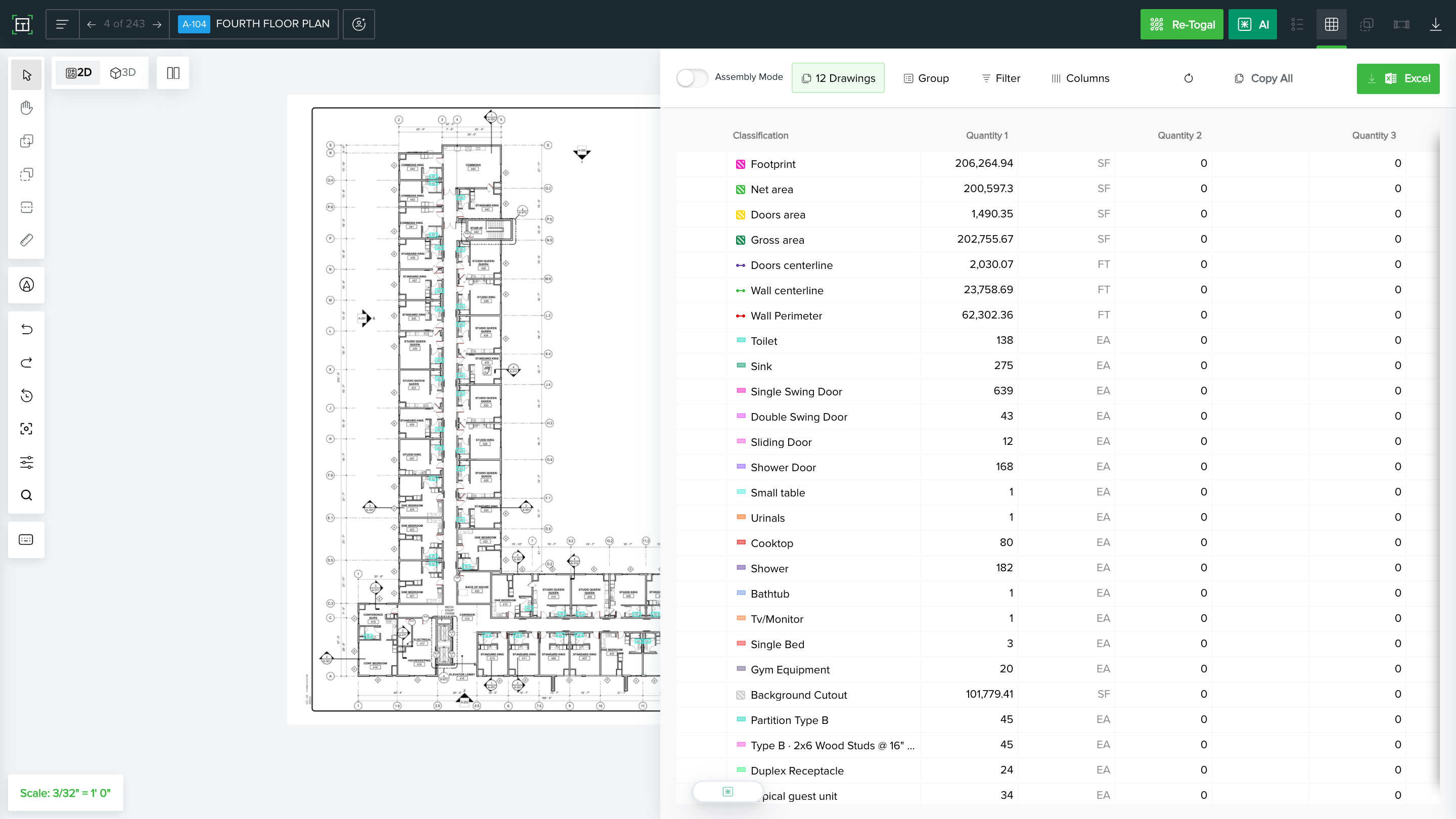
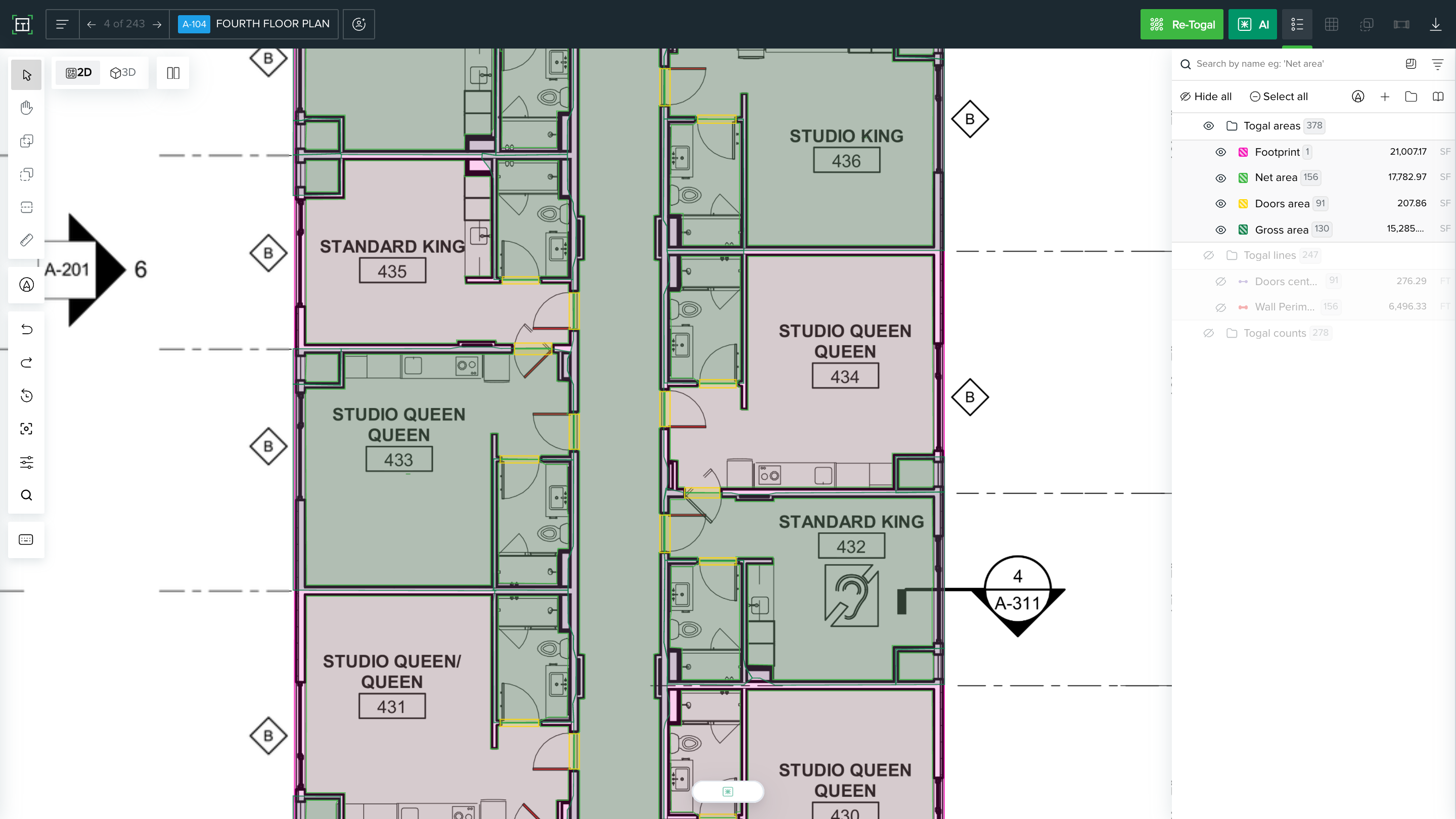
A takeoff template stores quantities after an estimator measures them, while takeoff software measures them from the drawings. In Togal, you upload the plan set, run the Togal button on one sheet or the full set, and review the measured areas, lengths, and counts before they go into the estimate. The table shows how AI Search and Togal's other features compare.
What Switching From Spreadsheets Looks Like For General Contractors
Coastal Construction builds high-rise residential, mixed-use, and hotel projects. Before Togal, its preconstruction team worked across disconnected tools, spreadsheets, manual exports, and separate files, and talked to subcontractors over email. After moving takeoffs into Togal, Coastal Construction cut preconstruction effort across the board:
Those hours came out of measuring and reconciling files. Estimators still classify every element and decide what goes into the bid, so junior estimators keep learning the judgment the job depends on.
See how Togal handles your next bid. Book a Demo
How To Turn Your Takeoff Template Into A Reusable Togal Library
A Togal Library is a saved set of classifications you apply to every new project. You build the structure your template already holds one time, instead of rebuilding it for each specific project. With every project on the same classifications, your takeoff data stays comparable, and this year's drywall quantities line up against last year's without a cleanup pass.
Map Your Template Columns To Library Classifications
The mapping is direct:
Choose an Organization Library or a Private Library
You can create two Library types:
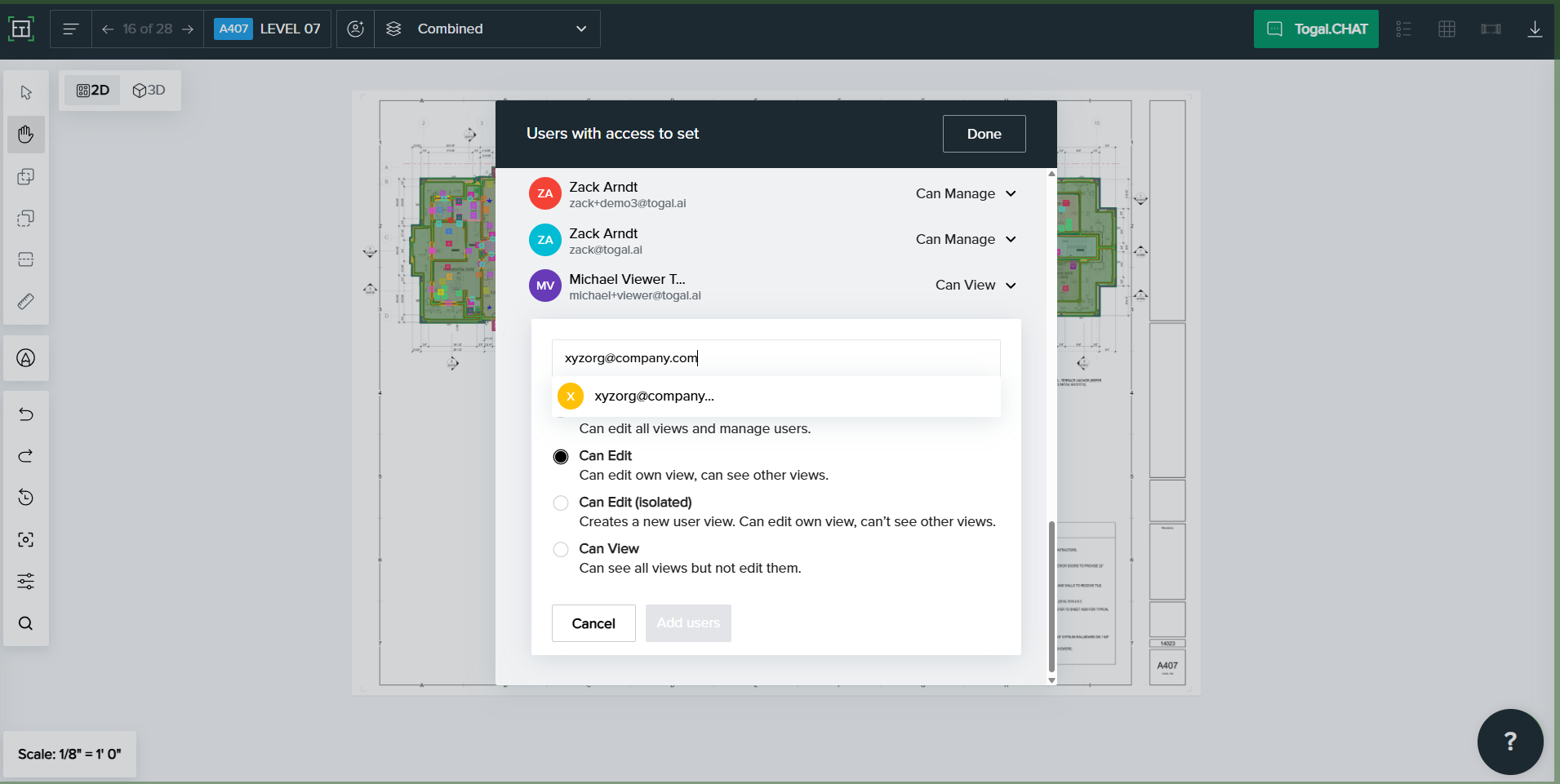
- Organization Library: an admin manages it, and everyone in the company works from it, so every estimator measures to the same structure.
- Private Library: keeps one estimator's conventions separate.
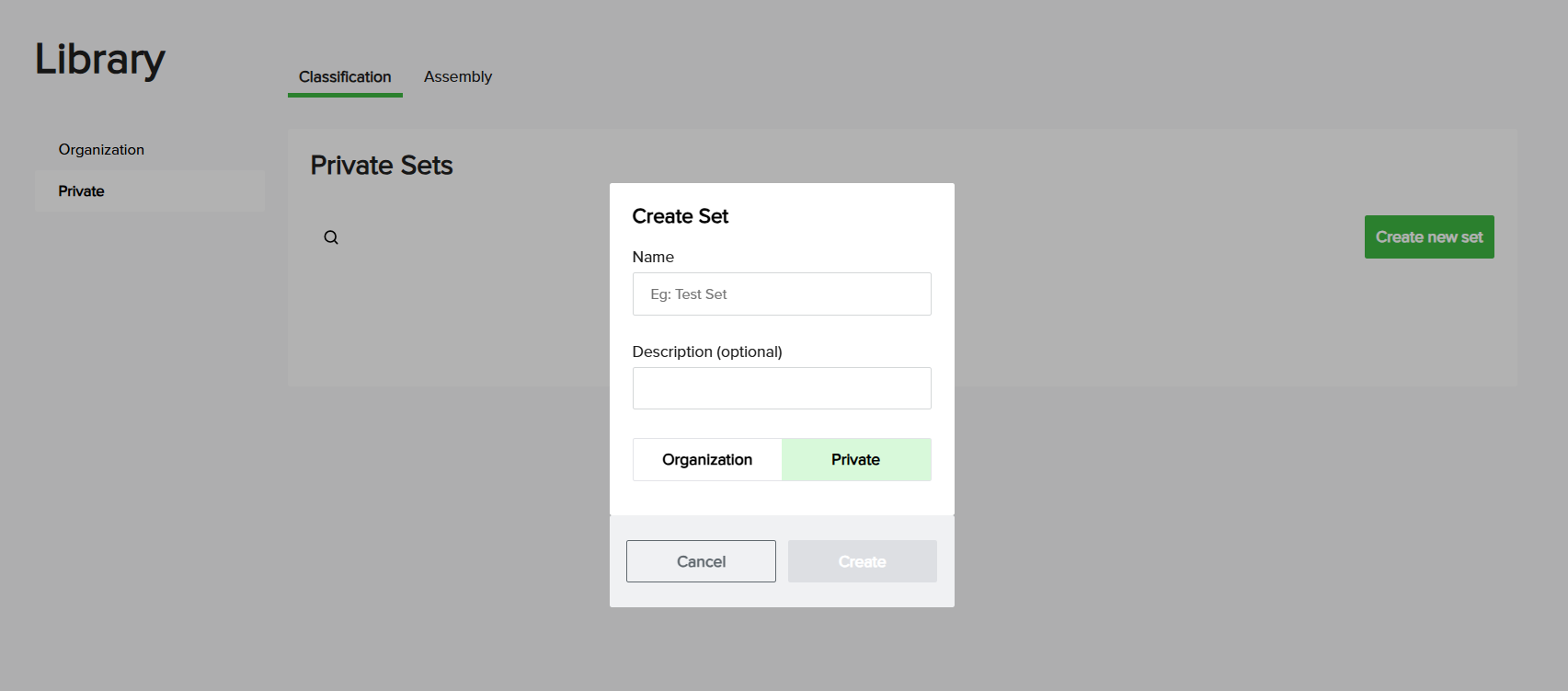
Edit either one from the Library menu or inside the drawing editor.
Frequently Asked Questions
Should labor go in a takeoff template?
No, labor belongs in the estimate. The takeoff records what's on the drawings, and the estimate turns those quantities into labor hours using your crew's production rates. Keeping labor out of the takeoff lets you reprice a job for a different crew without touching a single measurement.
Can one takeoff template work for every trade?
One template structure can, but each trade needs its own line items and units. Painters measure wall and ceiling area, flooring contractors track square footage by finish, and glazing estimators count units and measure frame lengths. The Excel version has a tab per trade for that reason, all feeding one summary.
Can you export Togal takeoff quantities to Excel?
Yes. Togal exports takeoff quantities to Excel, organized, filtered, and grouped automatically, so your team can keep working in the spreadsheet format it already knows. Togal also integrates with Ediphi, ServiceTitan, and Zebel for teams that estimate in those tools.
Keep The Structure, Hand Off The Measuring
A good construction takeoff template keeps every quantity organized and traceable. Togal, built by estimators for estimators, measures the drawings that fill it, using the classifications your team already set up. Your team keeps the template's discipline and spends its hours on the bid.
Takeoff in Minutes. Not Days. Book a Demo