Compare Takeoff Software

Togal.AI vs On-Screen Takeoff (OST)

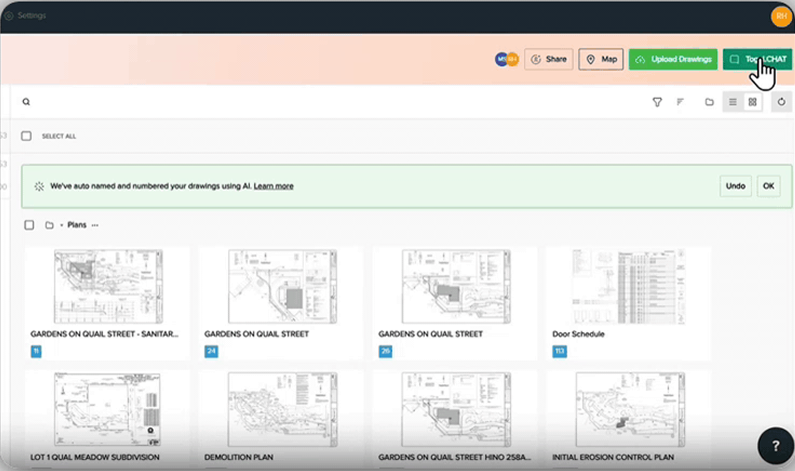
OnScreen Takeoff has been the desktop standard for three decades, built around manual digital takeoff with Takeoff BOOST sold as a separate subscription. Togal runs in the browser, measures walls, rooms, and counts with AI included in every seat, and gives estimators deeper manual tools in addition to remain in the driver’s seat for oversight. Here's how the two compare on speed, tooling, collaboration, cost, and support.

University of Kansas found Togal.AI 76% faster than OST for takeoff

Teams who switched from OST to Togal

The numbers behind Togal

~7 min

Average support response

Support SLA
48 hrs

A flooring contractor finished a two-week takeoff, caught an error for the GC, and won the job

Customer win
76%

Faster takeoffs, independent University of Kansas study

Verified result
~15 min

To a new user's first completed takeoff

Onboarding speed
SOC 2 Type II

Certified, plans stay walled off

Security badge
~7 min

Average support response

Support SLA
48 hrs

A flooring contractor finished a two-week takeoff, caught an error for the GC, and won the job

Customer win
76%

Faster takeoffs, independent University of Kansas study

Verified result
~15 min

To a new user's first completed takeoff

Onboarding speed
SOC 2 Type II

Certified, plans stay walled off

Security badge

Which takeoff tool is right for you

Book a Demo

Choose Togal if:

  • You want walls, rooms, and counts detected by AI without paying for a second subscription of only 15 takeoffs per license or a higher tier for more.

  • Your estimators hit the ceiling of OnScreen's geometry tools - arcs, circle cuts, splits, cutting cleanly to an edge.

  • You need more than three quantities set in a single takeoff object.

  • Your team measures from browsers, tablets, and second offices rather than one installed machine each.

  • An easy way to train new estimators to be productive in days rather than working up a long learning curve.
Choose On-Screen Takeoff if:

  • Your estimating department has thirty years of habit and is inclined to stay on the On-Screen and ConstructConnect platform.

  • You prefer ready-to-go templates your teams leans on dailly

  • Your workflow is entirely Windows PC and has no estimators on the field that use iPads or tablets.

  • If construction technology team prefers to run entirely on an on-premise policy.

  • Nobody on your team is waiting on a takeoff to get a bid out.

Togal.AI vs On-Screen Takeoff at a glance

Book a Demo
Decision criteria
Togal.AI
On-Screen Takeoff
Takeoff speed
AI measures walls, rooms, and counts across the set; 4X faster takeoffs
Manual measuring, with Takeoff Boost automating parts of it
AI approach
Proprietary AI trained on construction drawings for five years, included in every seat
Takeoff Boost AI tools, sold as a separate subscription on top of the licence
What it costs to unlock
One subscription covers the AI and the advanced manual tooling
Expanded features and AI carry additional fees
Where it runs
Cloud based in the browser, Mac or Windows, desktop or tablet
Windows desktop install
Geometry tools
Arc, circle cuts, split, and clean cuts to an edge
No arc, split, or circle cut; edges leave slivers
Takeoff quantities
Up to eight per object, with custom formulas
Three per object, without custom formulas
Searching a plan set
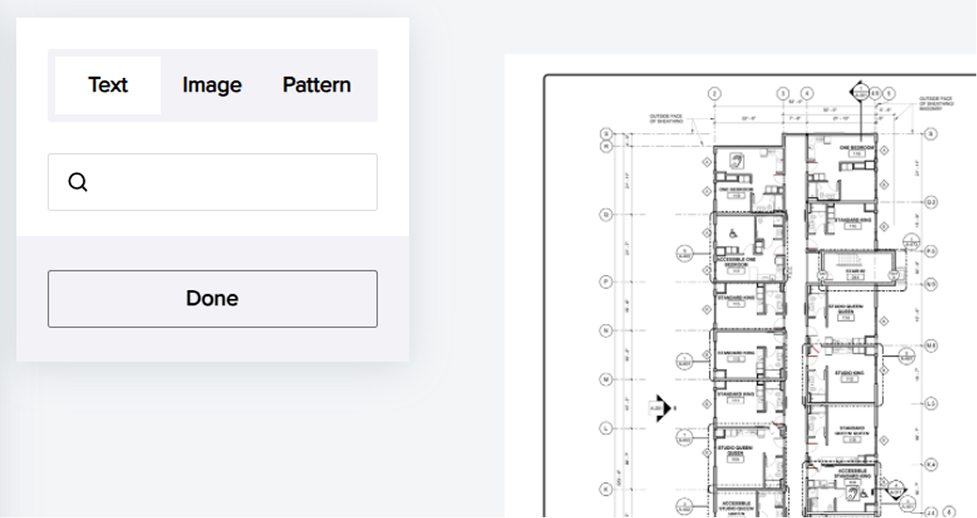
AI Search by text, image, or visual pattern
Search is limited, particularly on counts and images
Collaboration
Multiple users on one live takeoff, permissions per person
Local files, shared by sending a copy
Support
Direct human support, in less than 10-minutes average response
Included with an active licence and maintenance
Best fit
Estimating teams whose bid volume is limited by takeoff time
Long-tenured departments with deep template libraries

What each platform does well

Togal.AI strengths

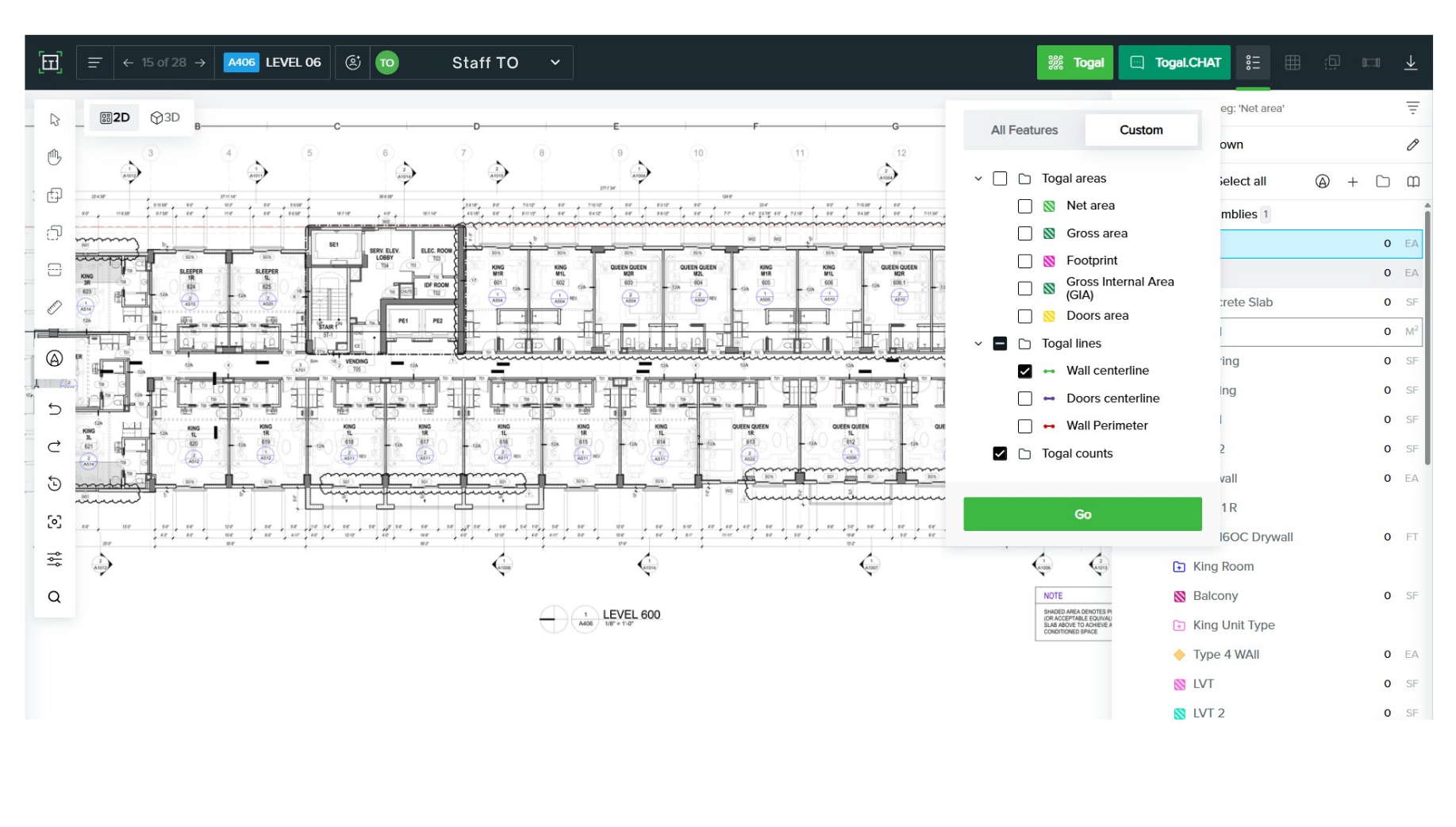
  • AI takeoff reads the drawing and returns walls, rooms, and count takeoff objects without a separate subscription

  • Deeper geometry: arc, circle cuts, split, and clean edge cuts

  • Eight quantity outputs per object plus custom formulas

  • AI Search finds a fixture, note, or pattern anywhere in the set

  • 3D visualization catches height and elevation problems before the bid goes out

On-Screen Takeoff strengths

  • The largest installed base in takeoff software, with three decades behind it

  • A mature template and library system teams build years of work into

  • Comprehensive manual measuring tools covering every trade

  • Free video tutorials and a large pool of estimators who already know it

  • A 14-day free trial available on request

Key difference: the capability is in the subscription

Togal.AI

Togal includes the AI in every seat. The same subscription that lets an estimator open a drawing lets them run the automated takeoff, search the set, work the 3D model, and use the full geometry toolset. There is one price, and it covers the thing you bought the software to do. The AI tools are part of the seat, not a second invoice.

On-Screen Takeoff

On-Screen Takeoff sells its licence, then sells the automation separately. Takeoff Boost is an added subscription on top of what you already pay, and the expanded feature set carries its own fees.

Five reasons estimators move off On-Screen Takeoff
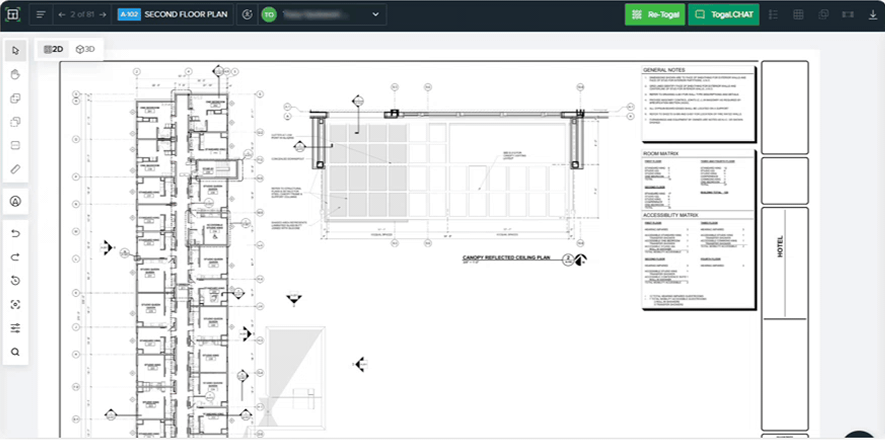
Speed in the Togal platform
01

Speed.

Manual measuring on On-Screen means working through the set object by object. Togal detects and measures the walls, rooms, and linear takeoff in a fraction of that - independent University of Kansas testing put the gap at 76%.
Purpose-built AI in the Togal platform
02

AI you already paid for.

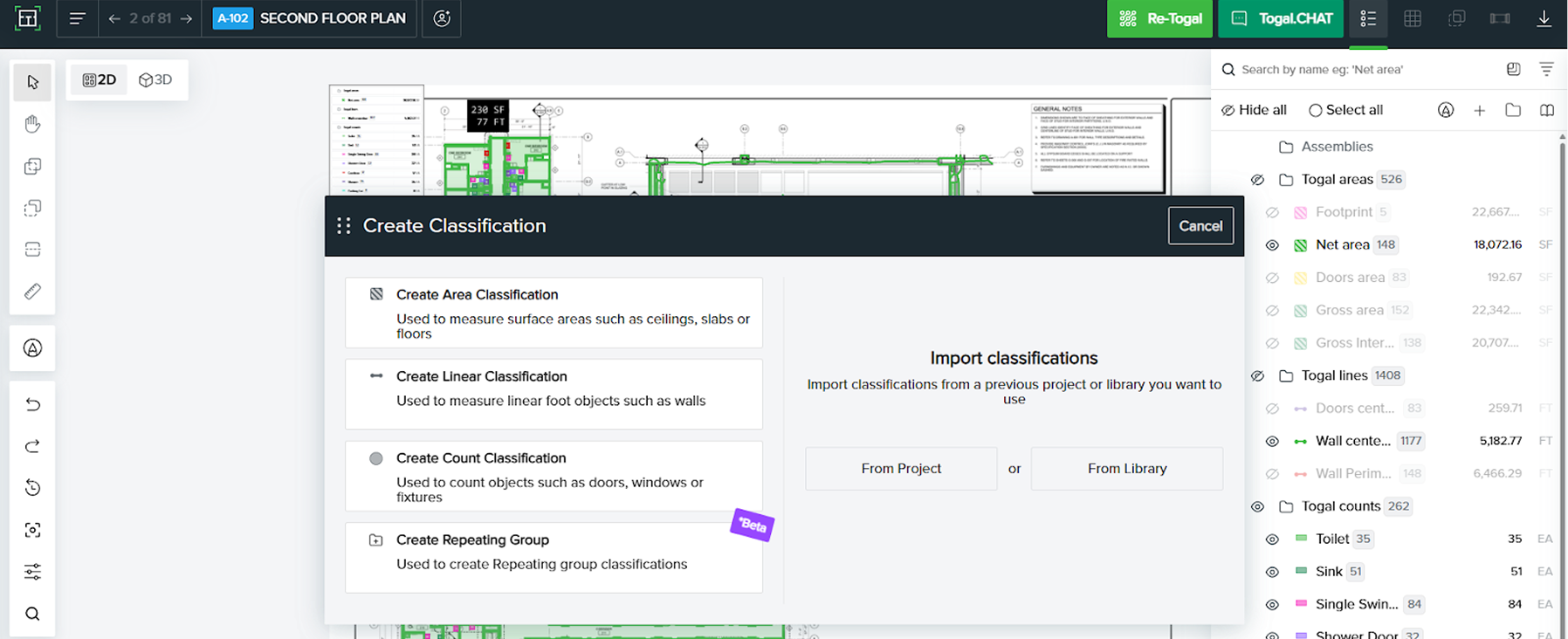
On-Screen's automation arrives as a separate subscription with its own line on the invoice. Togal's AI has been trained on construction drawings for five years and comes with the seat, so the AI generated results are included rather than billed on top.
Real-time collaboration in the Togal platform
03

Tools that go deeper, not just faster.
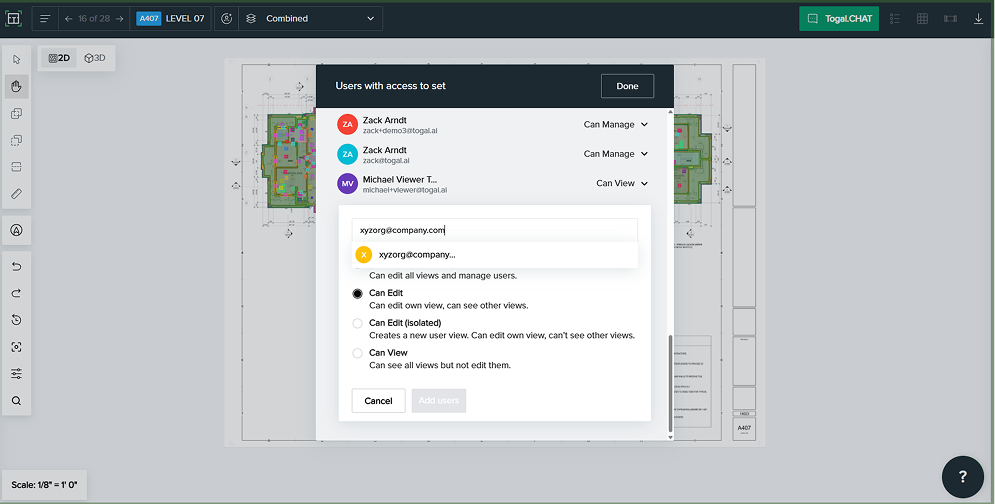
On-Screen has no arc, no split tool, no circle cuts, and cutting to an edge leaves slivers behind. Togal handles all four, returns up to eight takeoff quantities from a single object where On-Screen returns three, and supports custom formulas On-Screen does not - across linear takeoff, areas, and count takeoff objects alike.
Security that clears IT in the Togal platform
04

Finding things in a large set.

On-Screen users report weak results searching for counts and images. Togal's AI Smart Search works across an entire project by text, image, or pattern, so locating every instance of a fixture takes seconds.
Support that answers in the Togal platform
05

One live job.

On-Screen keeps takeoffs as local files that get shared as copies. Togal keeps one takeoff in the cloud where your estimators, and anyone you invite outside the company, work the current plan revisions with permissions set per person.

When to stay on On-Screen Takeoff

On-Screen Takeoff is the oldest name in the category and has held the largest installed base for most of that time. Its template and library system is mature, and a department that has spent a decade building templates into it holds real value there.

That value is portable. Templates can be rebuilt in Togal during onboarding with help from the customer success team, and once rebuilt they sit in the cloud where the whole team reaches them. But if your estimators are fluent, your libraries are deep, and takeoff turnaround is not what is holding your bid volume back, staying put is a defensible call.

Togal and On-Screen Takeoff reviews

Togal holds 4.8 stars on G2. On-Screen Takeoff holds 4.4. The gap shows up where the two products differ most: OST reviewers describe a deep toolset that rewards mastery, while Togal reviewers describe getting a takeoff out on day one. Independent University of Kansas testing put Togal 76% faster than On-Screen Takeoff on the same takeoff.

4.8
stars out of 60 reviews
G2
G2 reviews
"I love how Togal.AI organizes all our items in one easy-to-access software in the browser, which makes takeoffs effortless and super easy to get started. The features for duplicating items and comparing sheets are fantastic because they make it simple to find discrepancies and changes during Addenda Reviews. This feature saves me so much time by letting me overlay the previous sheet under the new one to easily see and mark any changes, ensuring I don't miss any details. Working from home or any laptop is seamless since Togal.AI works in a browser. The AI aspect really boosts our productivity and ease of workflow."
— Jackson C., G2

What estimators mention first in Togal's reviews:

  • Getting started without a learning curve to climb
  • Sheet comparison that surfaces addenda changes quickly
  • Working from a browser, on any laptop, from anywhere

Togal.AI vs On-Screen Takeoff: common questions

Is Togal better than On-Screen Takeoff?

Togal measures faster, includes its AI in the base subscription, and offers geometry tools On-Screen lacks - arc, split, circle cuts, and clean edge cuts. On-Screen has a larger installed base and a deeper template library. Teams limited by takeoff turnaround usually find Togal the better fit.

Is Togal a good On-Screen Takeoff alternative?

Yes. It covers the same takeoff workflow with AI measuring, browser access, and real-time collaboration, and its manual toolset goes further than On-Screen's on geometry and quantity outputs.

Does On-Screen Takeoff have AI?

Yes, through ConstructConnect's Takeoff Boost, which adds AI assisted takeoff tools such as Auto Count and Auto Link, and is sold as a separate subscription alongside the On-Screen licence. Togal's AI is proprietary, natively trained on construction drawings for five years to read blueprints and perform takeoff. Every core AI feature is included per seat subscription.

How much does On-Screen Takeoff cost?

ConstructConnect does not publish standard On-Screen Takeoff pricing, and the figure depends on seat count, maintenance, and whether you add Takeoff Boost or other expanded features. Request a quote directly and ask specifically what the automation costs on top of the licence.

Can I move my On-Screen templates to Togal?

Togal's customer success team will work with you to move your most prioritized templates during your onboarding. Once rebuilt, your templates will live in the cloud, and the whole team can work from the same version.

Can I use On-Screen Takeoff on a Mac or in a browser?

On-Screen Takeoff is a Windows desktop application requiring a local install. Togal runs in any modern browser on any device.

How long does switching from On-Screen Takeoff take?

New users completed their first takeoff in about 15 minutes in the University of Kansas study, and most teams are bidding live work within a couple of weeks. Larger departments take longer, since the work is agreeing to a shared process rather than learning the software.

See it on your own drawings

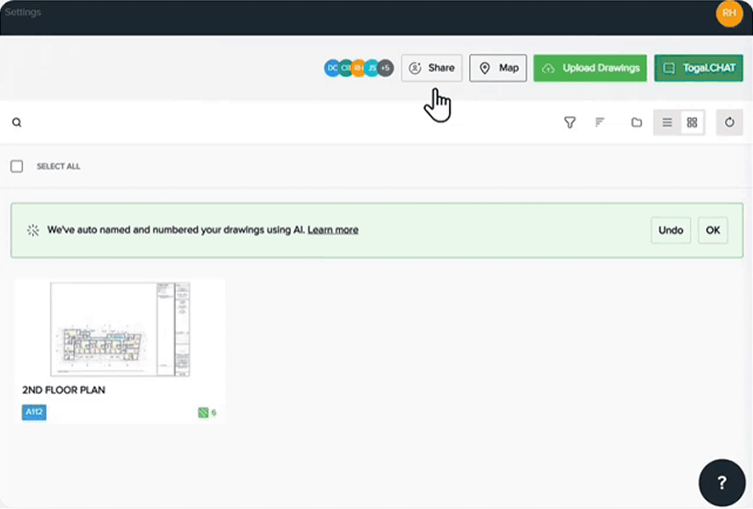
Upload a plan set and watch Togal detect, measure, and count it. Takeoff in Minutes. Not Days.
Chris Barnhardt
UrbanCore
Joseph Franklin
T. A. Loving Company
Les O'Bryan
Coastal Construction
Drew Dittmer
Select Painting